

Building with Akka: Customer Registry App (part 4 – Deployment)
This is the last part of our series of articles, which explores step-by-step the implementation of a distributed customer registry application with the newest features of the Akka platform. In case you missed them, we recommend starting with this introduction.
This part shows how to build and run the customer registry application, exploring the new local console feature provided by the Akka CLI. But first, let’s recap the core features and the HTTP API we have implemented in the previous episodes.
Customer registry application at a glance
The customer registry application provides a comprehensive set of features for managing customer data through a robust, event-sourced system.
Core Operations
- Create new customer records
- Retrieve customer details by unique ID
- Update customer name
- Update customer address
Advanced Query Capabilities
- Search customers by name
- Search customers by email
- Maintain complete change history of customer records
Key Technical Characteristics
- Immutable domain model
- Event-driven architecture
- Eventually consistent views
- Supports distributed and scalable operations
- Location-transparent component interactions
The set of APIs that allow to interact with the customer registry application are the following:
Create Customer:
- Method:
POST - Path:
/customer/{customerId} - Payload: JSON with email, name, address
Get Customer:
- Method:
GET - Path:
/customer/{customerId} - Returns: Customer details
Update Customer Name:
- Method:
PATCH - Path:
/customer/{customerId}/name/{newName}
Update Customer Address:
- Method:
PATCH - Path:
/customer/{customerId}/address - Payload: New address details
Query Customers by Name:
- Method:
GET - Path:
/customer/by-name/{name} - Returns: List of customers matching name
Query Customers by Email:
- Method:
GET - Path:
/customer/by-email/{email} - Returns: List of customers matching email
All right, let’s build the application and run it!
Build and run locally
In order to start your service locally, run:
mvn compile exec:javaThe output should be similar to the following:
09:39:38.590 INFO  akka.javasdk.impl.ComponentLocator$ - Looking for component descriptors in [META-INF/akka-javasdk-components.conf]

09:39:39.873 INFO  akka.runtime.DiscoveryManager - Building component [customer]

09:39:39.978 INFO  akka.runtime.DiscoveryManager - Building component [customer.api.CustomerEndpoint]

09:39:39.978 INFO  akka.runtime.DiscoveryManager - Building component [customer-events-service]

09:39:39.979 INFO  akka.runtime.DiscoveryManager - Building component [view_customers_by_name]

09:39:40.050 INFO  akka.runtime.DiscoveryManager - Building component [view_customers_by_email]

09:39:40.066 INFO  akka.runtime.DiscoveryManager - Service components: EventSourcedEntity: [1], Consumer: [1], View: [2]

09:39:40.189 INFO  akka.runtime.DiscoveryManager - HTTP endpoint component [customer.api.CustomerEndpoint], paths: [POST /customer/{customerId}, PATCH /customer/{customerId}/name/{newName}, PATCH /customer/{customerId}/address, GET /customer/{customerId}, GET /customer/by-name/{name}, GET /customer/by-email/{email}]

09:39:40.219 INFO  akka.runtime.DiscoveryManager - Akka Runtime started at 0:0:0:0:0:0:0:0:9000

09:39:40.220 INFO  akka.javasdk.ServiceLog - Info reported from Akka runtime:  Stream id [customer_events] from consumer [customer-events-service] is available for service to service subscription

09:39:40.220 INFO  customer.CustomerRegistrySetup - Starting Akka Application
The service is started at port 9000. Let’s see how to create, retrieve, and edit a customer.
Create a new customer
To add a new customer to the registry, use the following command:
curl -i localhost:9000/customer/one \
  --header "Content-Type: application/json" \
  -XPOST \
  --data '{"email":"test@example.com","name":"Testson","address":{"street":"Teststreet 25", "city":"Testcity"}}'
In this example, one is the customer id. The server replies with a 201 Created, with no response payload. The output is similar to:
>   --header "Content-Type: application/json" \
>   -XPOST \
>   --data '{"email":"test@example.com","name":"Testsson","address":{"street":"Teststreet 25", "city":"Testcity"}}'

HTTP/1.1 201 Created
Access-Control-Allow-Origin: *
Server: akka-http/10.7.0
Date: Fri, 31 Jan 2025 09:16:35 GMT
Content-Length: 0
The console output of the service should log the following lines:
10:16:35.789 INFO  customer.api.CustomerEndpoint - Request to create customer: CreateCustomerRequest[email=test@example.com, name=Testsson, address=CreateAddressRequest[street=Teststreet 25, city=Testcity]]

10:16:35.831 INFO  customer.application.CustomerEntity - Created CustomerEntity with id one

10:16:35.838 INFO  customer.application.CustomerEntity - Creating Customer[email=test@example.com, name=Testsson, address=Address[street=Teststreet 25, city=Testcity]]
Retrieve customer information
To retrieve details of a specific customer:
curl localhost:9000/customer/oneThe output is:
{"email":"test@example.com","name":"Testsson","address":{"street":"Teststreet 25","city":"Testcity"}}Query customers by email
To find a customer using their email address:
curl localhost:9000/customer/by-email/test%40example.comNote that the character @ is encoded as %40.
Query customers by name
To search for a customer by their name:
curl localhost:9000/customer/by-name/TestssonUpdate customer name
To change a customer’s name:
curl -i -XPATCH --header "Content-Type: application/json" localhost:9000/customer/one/name/joeUpdate customer address
To modify a customer’s address:
curl -i localhost:9000/customer/one/address \
  --header "Content-Type: application/json" \
  -XPATCH \
  --data '{"street":"Newstreet 25","city":"Newcity"}'
Local deployment
The Akka CLI provides a local web-based management console, the same you would see at console.akka.io.
In order to run the local console, make sure Docker is running and launch the following command:
akka local consoleAfter pulling the image, the local console is started at port 3000. Also, the customer registry application is found.
> Local Console is running at:      http://localhost:3000

 - customer-registry is running at: localhost:9000
------------------------------------------------------------
(use Ctrl+C to quit)
Navigate to http://localhost:3000 and see your local service in action:

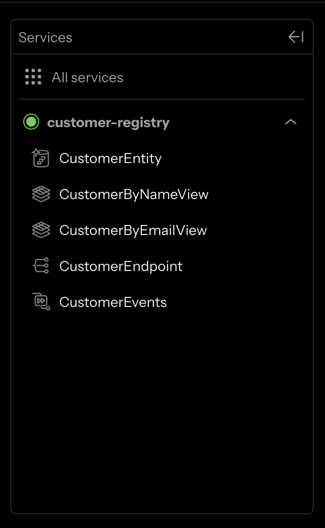
You see the customer-registry service: this is our application. We can navigate all the components from the sidebar:
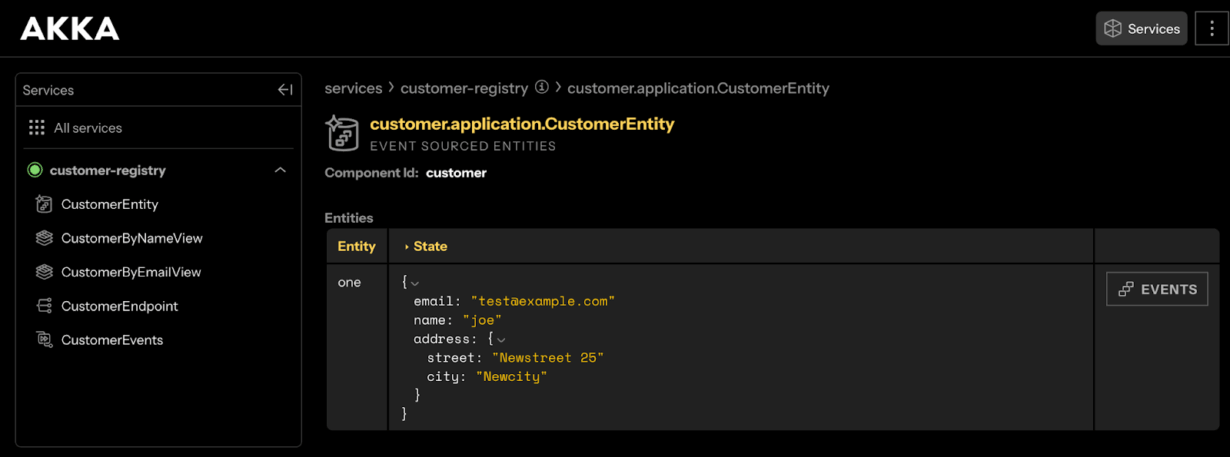
From the CustomerEntity component, we can see the event sourcing in action:
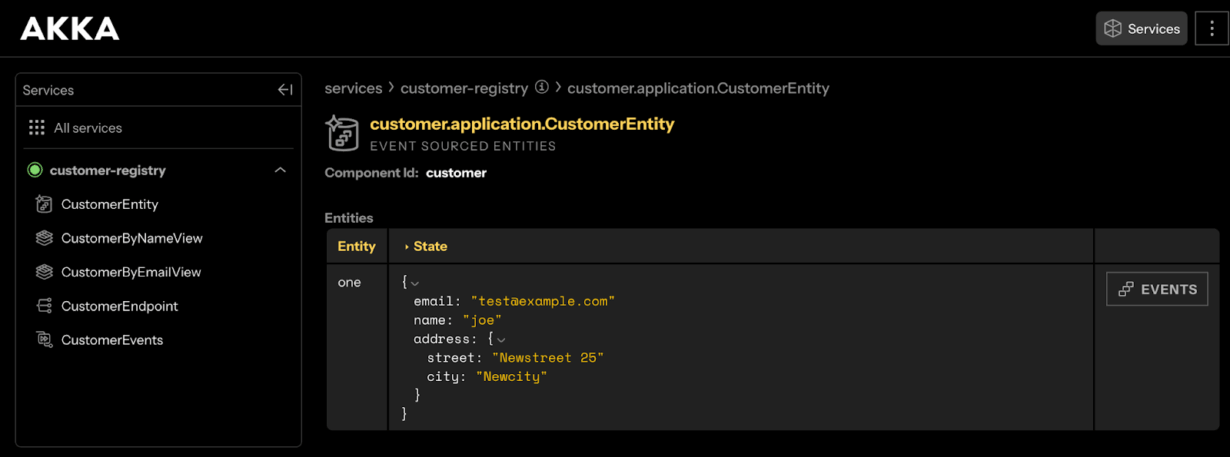
By clicking in the [EVENTS] button, we can see how the state of the customer one changed over time:

The table shows how a given event, produced at a precise timestamp, generated the corresponding state. You might appreciate how the state changes are highlighted in a diff format.
Finally, the CustomerEndpoint component shows the available endpoints. Unfortunately, no information is provided about the payloads and content types.
Remote deployment
Remote deployment is possible and very easy with Akka CLI. By following the guide Deploy to akka.io of the shopping cart example, you should be able to deploy your application in the new PaaS environment of Akka and expose the application publicly in a few commands.
The same features which are available in the local console will be available remotely. Moreover, you can also:
- deploy the application in multiple regions and cloud environments;
- enable third party services such as Google Pub/Sub, Apache Kafka, and Docker Hub;
- monitor the application metrics from the Control Tower page.
Conclusions
Congratulations, you’ve built and tested a customer registry service using the newest features of the Akka platform, implementing Event Sourced Entity and View components to handle customer data operations. The project covered creating, retrieving, updating, and querying customer information, demonstrating practical event sourcing patterns.
Through our customer registry example, we’ve seen how Akka makes building distributed applications more accessible while maintaining Akka’s power and flexibility. The new SDK simplifies implementing complex patterns like event sourcing and CQRS, while the improved development experience with the Akka CLI and local console provides immediate feedback during development.
The evolution from toolkit to platform, with options for serverless and BYOC deployment, demonstrates Akka’s commitment to meeting diverse team needs. Whether you’re new to reactive systems or an experienced Akka developer, the SDK provides a productive path forward for building responsive, resilient, and elastic systems without sacrificing the robustness that has made Akka a trusted choice for distributed systems’ development.
This part ends our series of articles about the new Akka platform. If you missed anything, this is a recap of all sections:
- Introduction
- Section 1: Project setup
- Section 2: Domain model and Entity
- Section 3: Views and APIs
- Section 4: Deployment (this page)
References
- https://akka.io/blog/announcing-akka-3
- https://akkademy.akka.io
- https://akka.io/blog/akka-3-frequently-asked-questions
- https://doc.akka.io/reference/cli/index.html
- https://doc.akka.io/java/views.html
- https://doc.akka.io/security/acls.html
- https://doc.akka.io/java/access-control.html
- https://doc.akka.io/java/component-and-service-calls.html
- https://doc.akka.io/java/views.html#query